





trimble
ID # 17936430
Trimble Farmer Pro
In Stock
Call for Price


Overview
Specifications
complete farm management solution
crop health imagery
work orders
more than just pretty maps
farm data compatibility
embrace the power of zone sampling
product comparison
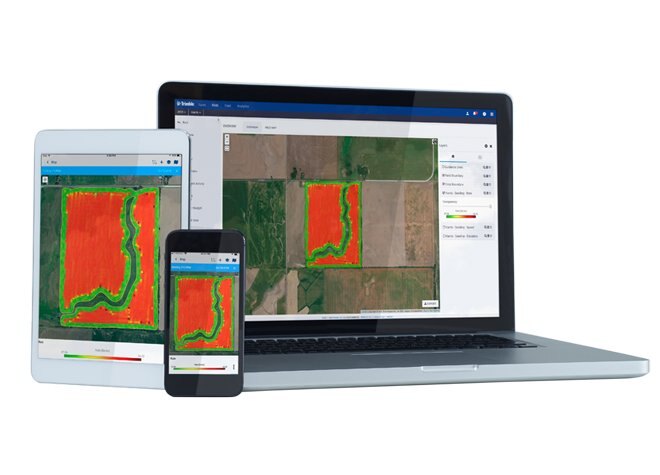
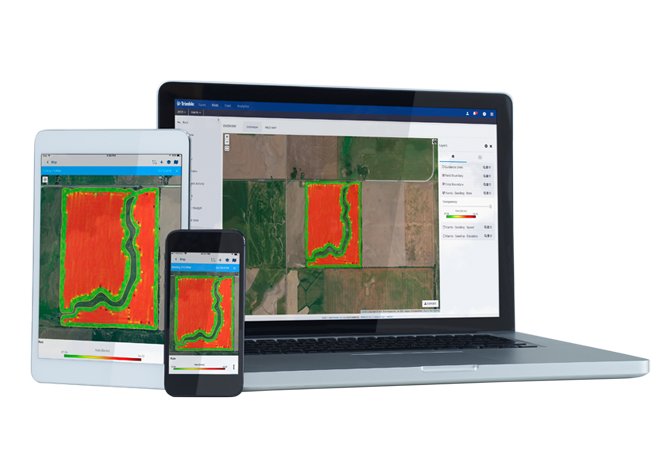
Farmer Pro is Trimble’s most powerful desktop, online, and mobile farm management software. Farmer Pro customers get all the benefits of Farmer Fit, as well as additional features that enable innovative, profitable farm management, including Crop Health Imagery, Work Orders, grid or zone soil sampling workflows, managing grain contracts, and more.
Model
Farmer Pro
Category Name
Agriculture
Year
2021
Sale Type
New
Manufacturer
Trimble
Complete Farm Management Solution
|
Powerful Cloud-Based Software Farmer Pro comes with access to an intelligent, user-friendly online platform that syncs automatically across devices so you’re only entering information once. Growers can use the online platform for: |
|
Mobile Farm Management Made Easy Farmer Pro comes with access to the pioneering, user-friendly Trimble Ag Mobile app. Trimble Ag Mobile allows farmers to input, access, and share records — from field images to crop scouting reports — in real time from any mobile device. Our farm data management app works on both Apple iOS and Android devices, and keeps working even if you lose your Wi-Fi or cell signal. |
|
Reliable Desktop Software Farmer Pro comes with access to our integrated desktop mapping, field record-keeping, and simple cash accounting. Built on the foundation of Farm Works Software®, our desktop platform turns farm data into actionable decisions. |
Crop Health Imagery
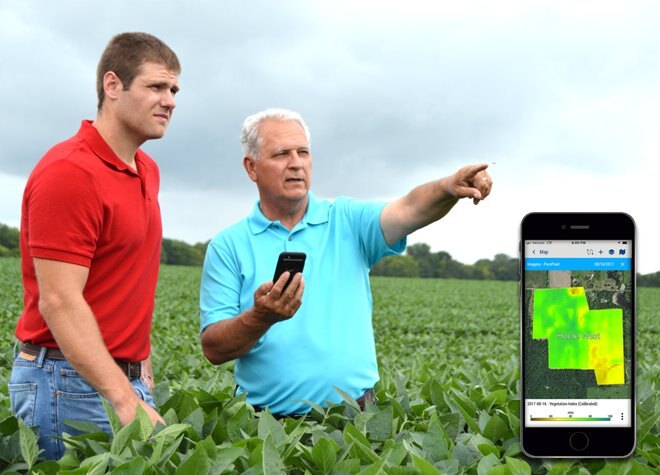
Crop Health Imagery, powered by PurePixel™ technology, provides reliable, cloud-free, calibrated satellite images to farmers and their trusted advisors. PurePixel leverages a proprietary algorithm to analyze multiple sensor inputs to produce calibrated vegetative index maps throughout the growing season.
This unique calibration allows farmers to compare crop health at each growing stage for more targeted crop scouting. This enables smart in-season application decisions, helping farmers maximize yields and drive profits.
Work Orders
Trimble’s Work Orders feature takes the guesswork out of assigning and tracking field work for farm managers. This easy-to-use mobile feature assists in managing logistics, assigning tasks, tracking progress, and making quick adjustments to maximize efficiency and farm productivity. In addition, farm workers can leverage their smartphone to receive daily tasks, resulting in increased efficiency and a reduction in application mistakes.
More Than Just Pretty Maps
Are you tired of looking at yield maps that don’t match what’s in the field? Trimble Ag Software’s new Yield Data Cleaning tool automatically fixes issues with grain flow delays, GPS errors, sensor errors, and overlaps, saving you countless hours manually fixing them field-by-field. As more and more farmers move toward precision ag, accurate yield maps become critical when using them for prescriptions or management zones. Clean yield data means accurate maps, which result in more profitable acres.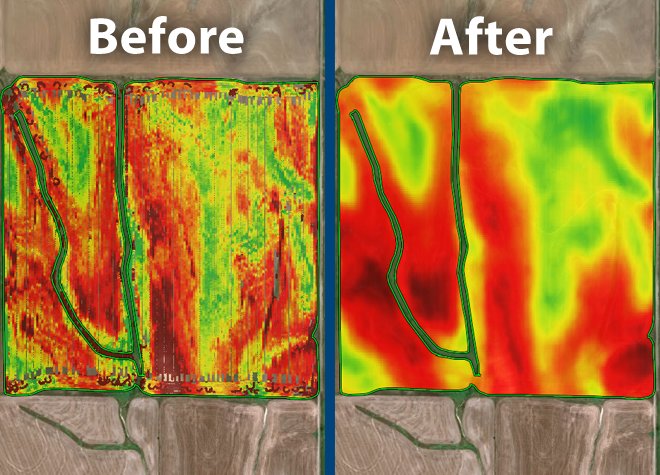
Farm Data Compatibility
Farm data compatibility and connectivity agreements between Trimble Ag Software and other third-party farm management software platforms include Raven Slingshot® system, AGCO VarioDoc and AgCommand® systems, John Deere Operations Center, Case IH Advanced Farming Systems (AFS) Connect™, New Holland Precision Land Management (PLM) Connect, and more.
Embrace The Power Of Zone Sampling
Now more than ever, farmers need to leverage the tools and technology that drive the bottom line, without creating additional hassles
That’s why Trimble has added a powerful new feature to its Farmer Pro software offering, Zone Sampling, which enables soil sampling by zone, rather than the more expensive grid sampling option — while also improving farmers’ ability to manage fertility and drive productivity.
HOW IT WORKS:
Using GPS locations to target samples based on any management zone, farmers can now collect actual sample points using any mobile device. Once samples are collected, farmers can visualize both target and collected points in Trimble Ag Software online, and export the files in a shapefile format to send to any farming partners or crop advisor.
If you are a grower or have customers that utilize zone management then this will help dial in your management practices to allow better understanding of your zones nutrition, and a more consistent sampling system across your management zones.
Product Comparison
| Features | Farmer Starter | Farmer Core | Farmer Pro | |
|---|---|---|---|---|
| Farm Setup | User logins1 | Up to 5 | Up to 5 | Up to 5 |
| Manage client/farm/field names with boundaries | ✔ | ✔ | ✔ | |
| Farm Operations | Manage guidance lines | ✔ | ✔ | |
| AutoSync™ resources, as-applied data, and bluetooth tags between Precision-IQ Displays and the cloud 2 | ✔ | ✔ | ||
| Import/export or use third-party APIs to get data to/from precision farming displays | ✔ | ✔ | ||
| Track real-time equipment location, current status, and utilization history | ✔ | ✔ | ||
| Wirelessly send prescriptions to displays | ✔ | ✔ | ||
| Create Precision-IQ Display Work Order in web or mobile for remote task set-up and monitoring | ✔ | ✔ | ||
| Create Standard Work Orders and assign to people to monitor their manual completion | ✔ | |||
| Includes dashboard for weather forecasting and commodity price tracking 3 | ✔ | |||
| Farm Records | Create detailed field records for seed, chemical, fertilizer, harvest, and other applications | ✔ | ✔ | |
| Add materials and track purchases and usage by field with costs | ✔ | ✔ | ||
| Generate compliance reports with coverage or as-applied and task details | ✔ | ✔ | ||
| Access Precision-IQ as-applied data in shapefile format to use in other applications | ✔ | ✔ | ||
| Process yield data with yield cleaning tool | ✔ | ✔ | ||
| Create reports for seed, fertilizer, chemical usage, and field/crop profitability | ✔ | |||
| View basic weather with option for upgrading to Ag Premium Weather | ✔ | |||
| VRA Tools | Use drawing tools to layout management zones and create prescriptions | ✔ | ✔ | |
| Utilize the mobile app for grid or zone soil sampling, including navigation to sample sites | ✔ | |||
| Grain Marketing | Track bin inventory | ✔ | ||
| Manage grain contracts and market position statements | ✔ | |||
| In-Season Monitoring | View Crop Health Imagery for each field | ✔ | ||
| Record crop scouting events and create product application recommendations | ✔ | |||
| Import UAV imagery | ✔ |
Model
Farmer Pro
Category Name
Agriculture
Year
2021
Sale Type
New
Manufacturer
Trimble
Quantity
1






Copyright© 2026 Dealer Performance Demo - Powered by Turn Key Web Solutions - Privacy Policy - All Items - Dealer Performance Login